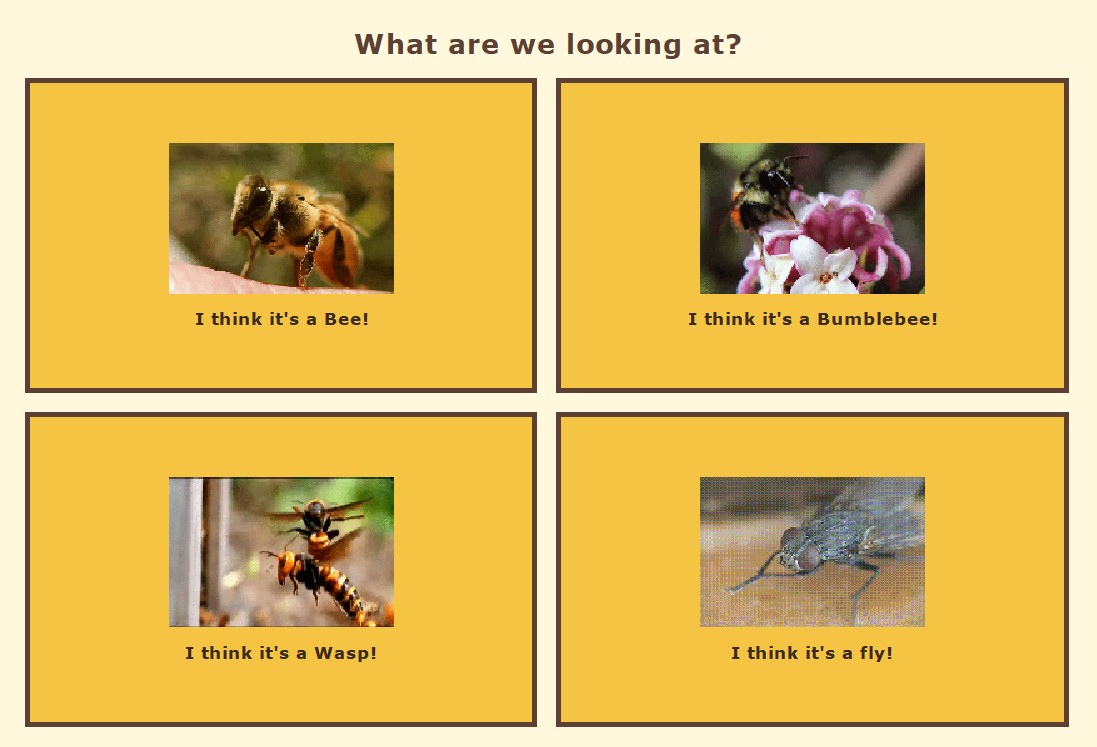
Select insect group
The user first chooses whether the insect resembles a bee, bumblebee, wasp or fly.
Initial classificationJava / Biological Classification
A Java Swing application that guides users through visible morphological traits and returns a probable species with its scientific name, family, description and image.
Language Java
Framework Swing
Architecture OOP
Species 6
Overview
The Bee Species Identifier is a desktop application that uses visible morphological traits to guide the user through a branching identification key. The user answers questions about insect group, wing-cell count, pollen baskets, hair colour and abdominal markings before receiving a probable species result.
Identification workflow
The user first chooses whether the insect resembles a bee, bumblebee, wasp or fly.
Initial classificationThe key asks whether the insect has two or three submarginal cells in the wing.
Wing morphologyThe presence or absence of a pollen basket helps separate species groups.
Leg morphologyHair colour, head colour, body size and abdominal bands are used as additional distinguishing features.
External appearanceThe application returns the common name, scientific name, family, description and species image.
Species resultSpecies model
Family: Apidae
Family: Apidae
Family: Halictidae
Family: Megachilidae
Family: Colletidae
Family: Vespidae
Project video
Demonstration of the classification questions, navigation and final species result.
Application interface
The desktop interface uses Java Swing panels, buttons, images and question screens.
Decision system
Each answer directs the user to a new card in the identification sequence.
Application architecture
Creates the JFrame, sets the BeeView as the main content panel and launches the desktop application.
Main.javaBuilds question panels, buttons, images, result panels and CardLayout navigation.
BeeView.javaStores the shared fields used by every supported species.
BeeSpecies.javaEach subclass provides its common name, scientific name, family, description and image path.
HoneyBee.java and othersDemo code
JButton twoCellsButton =
    new JButton("To");

JButton threeCellsButton =
    new JButton("Tre");

twoCellsButton.addActionListener(
    event -> cardLayout.show(
        cards,
        "beeQuestionTwoCells"
    )
);

threeCellsButton.addActionListener(
    event -> cardLayout.show(
        cards,
        "beeQuestion2"
    )
);
public abstract class BeeSpecies {
private final String name;
private final String scientificName;
private final String family;
protected final String description;
protected final String imagePath;
public BeeSpecies(
String name,
String scientificName,
String family,
String description,
String imagePath
) {
this.name = name;
this.scientificName =
scientificName;
this.family = family;
this.description =
description;
this.imagePath = imagePath;
}
}private JPanel createSpeciesResultPanel(
BeeSpecies species
) {
JLabel commonNameLabel =
new JLabel(
species.getName(),
SwingConstants.CENTER
);
JLabel scientificNameLabel =
new JLabel(
species.getScienceName(),
SwingConstants.CENTER
);
JLabel familyLabel =
new JLabel(
"Family: " +
species.getFamily(),
SwingConstants.CENTER
);
JTextArea descriptionArea =
new JTextArea(
species.getDescription()
);
return panel;
}public class HoneyBee
extends BeeSpecies {
public HoneyBee() {
super(
"Honningbie",
"Apis mellifera",
"Apidae",
"A social bee important for
pollination and honey production.",
"/HonningBie.jpg"
);
}
}public class Main {
public static final String
WINDOW_TITLE =
"Bee Identifier";
public static void main(
String[] args
) {
BeeView view =
new BeeView();
JFrame frame =
new JFrame(
WINDOW_TITLE
);
frame.setContentPane(view);
frame.setSize(900, 650);
frame.setLocationRelativeTo(
null
);
frame.setVisible(true);
}
}Key design decisions
CardLayout allows the application to switch between question screens without opening a new window for every decision.
Shared species information is stored in a parent class while individual species inherit and provide their own values.
Action listeners and lambda expressions connect each user answer to the next stage in the identification key.
Morphological traits are translated into a structured decision flow that a non-specialist can follow.
Limitations and future work
The application currently supports a limited set of species and relies on simplified visible traits. It should be presented as an educational identification aid rather than a complete scientific taxonomic key.
Future versions could add more species, clearer illustrations, location filters, confidence scoring and an image-recognition model.